Sections in this article
Click on the Name of an event from the list to manage the Participants and Waiting List. You can also preview the Booking Form, add a participant to the event, and edit the event.
Participants
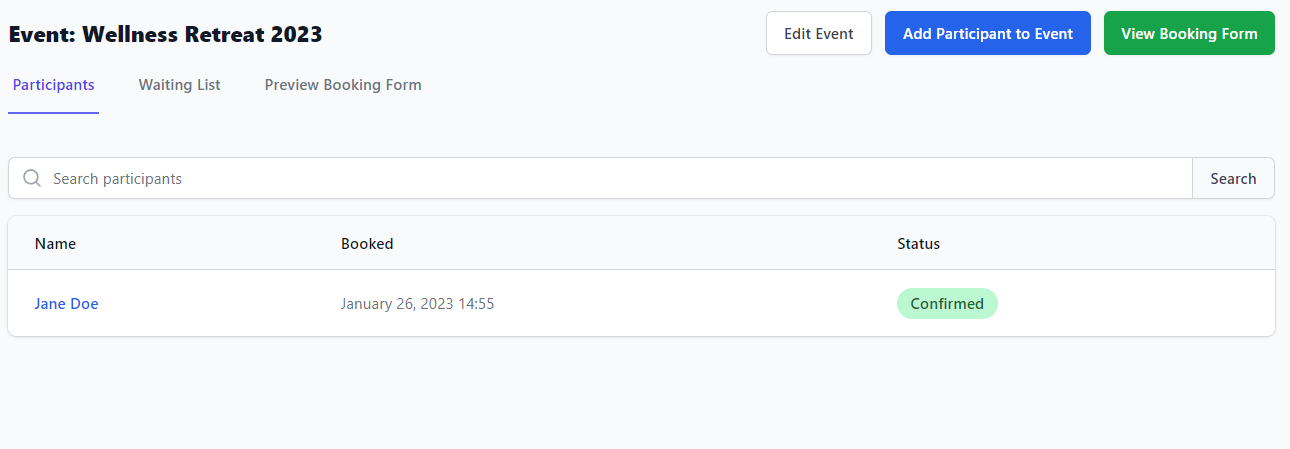
The Participants tab will display the Name of each participant, when they Booked, and their booking Status (Pending/Confirmed/Cancelled).

Waiting List
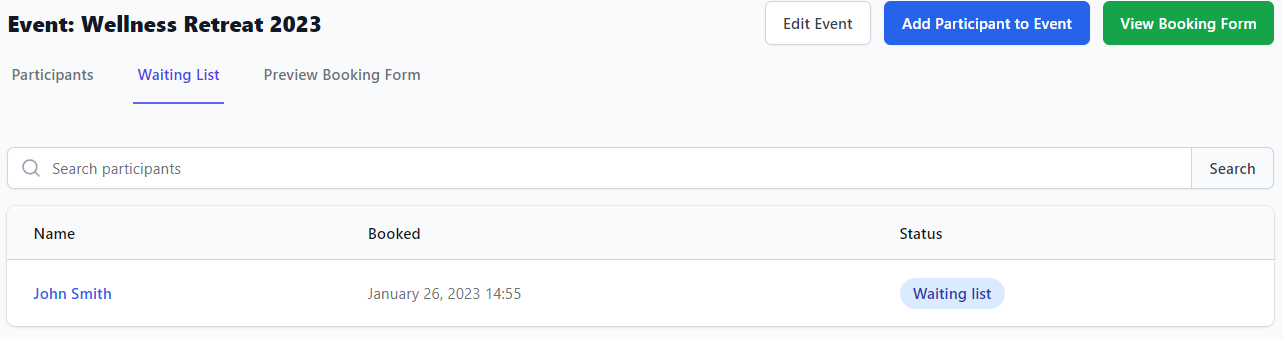
The Waiting List tab will display any participants that are waiting for a space to open up in the event if someone cancels.
Preview Booking Form
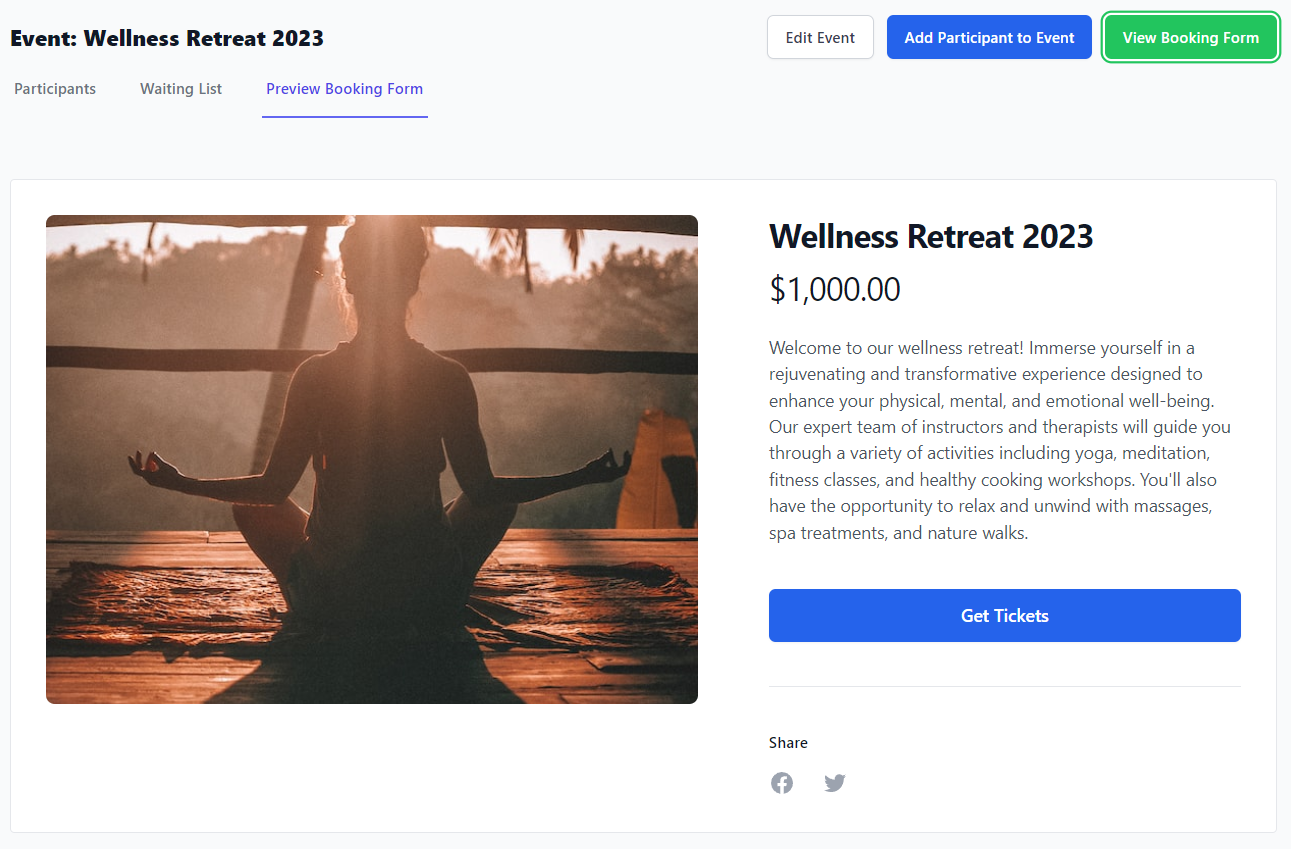
Click the Preview Booking Form tab to view the Booking Form, which is built from the information you provided when creating the event, like the promotional image, event description, and branded event name. This is the view that patients will see when booking your event.